Tools
Use these color tools to pick colors from an image, build a palette from team colors, design a jersey, or compare team palettes side by side.
Color and design tools
-
Color Wheel
Choose a base color, explore six color harmonies, and copy the HEX, RGB, or HSL values.
-
Image Color Picker
Select a pixel from your image and copy its exact HEX, RGB, or HSL value.
-
Color Palette Generator from Image
Extract up to 10 representative colors from an image and copy individual color codes or the entire HEX palette.
-
Custom Jersey / Kit Designer
Customize jersey colors, patterns, name, and number, then download both sides as a transparent PNG.
Team palette tools
-
Sports Team Palette Generator
Start with a team palette, adjust the colors, and copy the result as HEX or CSS variables.
-
Browse by Color
Discover sports teams by color family and narrow the results by league.
-
Compare Team Palettes
Compare the primary and secondary colors of up to four teams side by side.
How to choose the right color tools
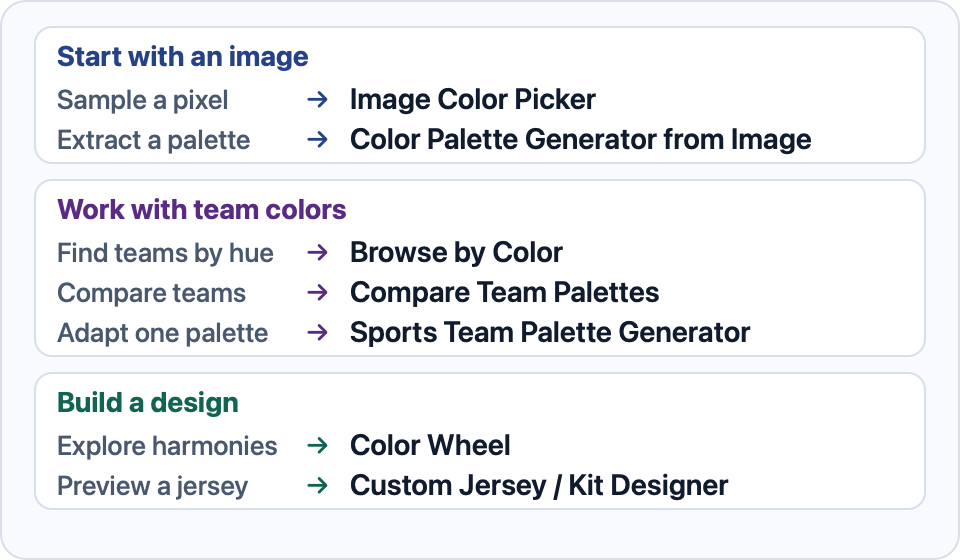
Start with what you have. For an image, pick one pixel to reproduce a precise color or extract the main colors when you want a full palette. For a team-inspired design, start with its published colors and edit them, or compare several teams before deciding.
For a new design, the color wheel helps you work from a single base color. Use the jersey designer once you’re ready to see those colors on a kit and save both views as a PNG.
Using the palette on a website? The CSS hexadecimal color notation is a reference for writing the copied colors in your stylesheet.